AutistAR

AutistAR

by CtrlD Studio

Android application AutistAR screenshot

AutistAR

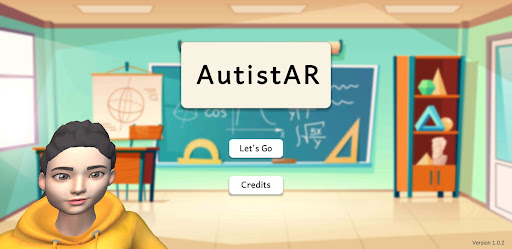
AutistAR is a not-for-profit edutainment application to research how Augmented Reality technology can enhance the learning capabilities of young children (from ages 3-6) with autism.
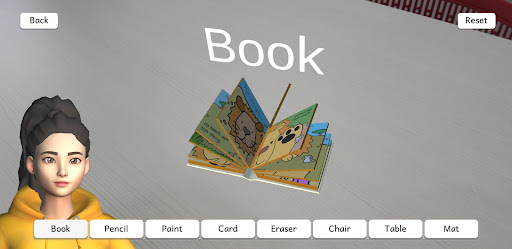
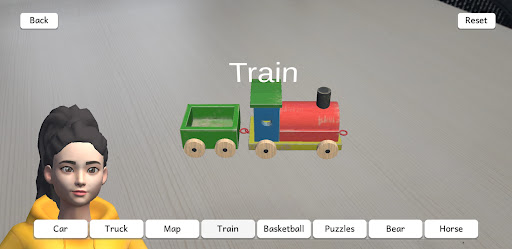
AutistAR is developed by CtrlD Studio for PhD researcher Natasha Amira binti Hushairi.The application’s main features include:- View 3D objects in AR, for children to learn to recognise different objects, vehicles, colours, feelings, and their names or descriptions.- Sentence Building, for children to learn how to incorporate the names and words that they have learned into sentences.- An avatar that voices out the words and sentences, so that children may listen and follow along.AutistAR is designed to be used in a classroom, where a teacher is able to guide the children throughout the learning process.
However, it can be used at home as well with the guidance of a parent or guardian.

About AutistAR

Package name (App ID)
com.CtrlDStudio.PECSAR
Available on
Google Play
Price
Free
Developer
CtrlD Studio

Looking for the AutistAR APK?

The safest way to get AutistAR (com.CtrlDStudio.PECSAR) on your Android device is to install it directly from Google Play — you'll always get the latest official version, automatic updates, and no risk of modified or infected APK files from third-party sites.

Get it on Google Play
Features
📚

Learning Tools

Enhance your learning experience with interactive features.

🍽️

Food & Dining

Discover recipes and order food from your favorite restaurants.

👶

Parenting Tools

Track and manage your child's development and daily activities.

Screenshots

See AutistAR in Action

AutistAR Screen 1
AutistAR Screen 2
AutistAR Screen 3
FAQ

Frequently Asked Questions

Is AutistAR free?

Yes, AutistAR is free to download and install on Android through Google Play.

How do I install AutistAR on Android?

Open Google Play on your Android phone or tablet, search for AutistAR by CtrlD Studio or tap the Google Play button on this page, then tap Install. The app downloads and installs automatically.

What is com.CtrlDStudio.PECSAR?

com.CtrlDStudio.PECSAR is the App ID (package name) of AutistAR on Google Play. Every Android app has a unique package name, and it is the safest way to verify you are installing the official app.

Is AutistAR safe to download?

Installing AutistAR from Google Play is the safest option: you get the official version published by CtrlD Studio, verified by Google Play Protect, with automatic updates. Avoid APK files from unofficial third-party sites.

AutistAR

Get AutistAR Today

AutistAR for Android — free download on Google Play.

Get it on Google Play

Compatible with Android phones and tablets — available on Google Play.

Love this app?

Share it with friends and family on your favorite social network.

Ask AI about this app

Get instant answers about features, tips and more from popular AI assistants.